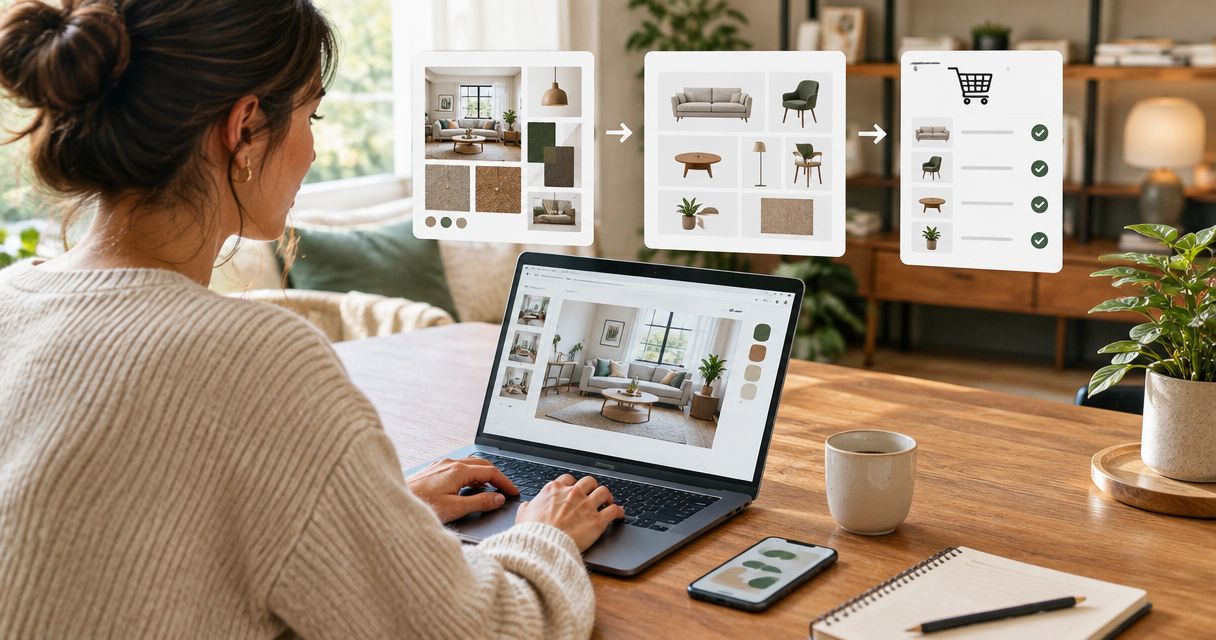
Instead of repeatedly reopening inspiration photos to remember what to buy, turn your Houzz ideabook into a room-by-room shopping list with source links, verified dimensions, and clear decisions. This 2026 workflow separates the look you love from the pieces that actually fit your home, without assuming an automatic export or shopping integration.
- Use this houzz ideabook to shopping list workflow to separate inspiration, product research, and purchasing decisions.
- Keep Houzz photos as visual references; verify each proposed purchase against its actual product information.
- Oak + Loom Interiors suits Colorado Springs homeowners seeking interior design support and curated home furnishings.
- Measure your room before approving furniture, lighting, or wallpaper for the final shopping list.
Why this matters
An inspiration photo answers a visual question: what do you like? A shopping list must answer practical questions: what belongs in your room, how much do you need, and what still needs checking? Treating those documents as interchangeable leaves important decisions unresolved.
An ideabook is a brief, not a buying specification. A chair that looks right in a photograph still needs its dimensions checked against your layout and access route. A wallpaper reference still needs a real sample and installation planning.
Oak + Loom Interiors is best for Colorado Springs homeowners seeking interior design services and curated home furnishings. You can explore Oak + Loom Interiors when you want help moving from inspiration to decisions. The workflow below also gives you a useful brief to bring into that partnership.
Before you start
- Gather your materials. Have access to your Houzz account and the relevant ideabook, plus a spreadsheet or editable document where you can maintain the shopping list.
- Record your room. Collect measurements, photographs, existing furniture dimensions, and notes about doors, windows, outlets, and anything staying in place. Start with 1 room rather than mixing the whole house together.
- Check the reference trap. A saved room photo is not proof of a product's identity, dimensions, finish, or suitability. Keep the photo reference separate from the actual product source so an attractive image never becomes an accidental specification.
You do not need a particular spreadsheet application. The bold field names below are labels you create yourself, not Houzz menu names; use them consistently throughout your 2026 planning file.
Room brief
- Open the Houzz ideabook for the room you are furnishing. Read it as a collection of preferences, not a collection of orders.
- Create a document heading called Room brief. Under it, add Room, Keep, Change, and Avoid.
- Describe what you like about each useful reference. Write something specific, such as curved silhouettes, a quiet color palette, or lighting beside a reading chair.
- Separate the room's purpose from its appearance. Record how you use the space, who uses it, and which activities the furniture needs to support.
- Note conflicts before shopping. If one reference suggests a large sectional and another suggests separate chairs, treat those as unresolved layout choices rather than adding both to the list.
Expected result: a short room brief that explains the desired feeling, the practical needs, and the pieces you intend to keep.
Make 2 passes through your ideabook: the first for recurring visual preferences, the second for practical requirements. This is a working method, not a target number of images. Stop collecting when another photo adds no useful direction.
A useful note says why the image matters. “Warm wood against pale walls” is a clearer instruction than “copy this room,” because it leaves space to choose furnishings that suit your own layout.
Shopping-list structure
- Create a sheet called Shopping list 2026. Use 1 row per item so each proposed purchase has its own decision history.
- Add these fields: Room, Item, Purpose, Quantity, Inspiration reference, Product source, Dimensions, Finish, Dependencies, and Status.
- Enter generic item descriptions first, such as reading chair, table lamp, or wallpaper. Do not assign a product identity based only on a photograph.
- Put the saved photo's reference in Inspiration reference. Put the actual product page or supplier reference in Product source only after you have identified a candidate.
- Use Status values of Research, Needs verification, Approved, Ordered, and Received. These are your own tracking labels, not a connection to a retailer's ordering system.
Expected result: a list that distinguishes what you need from what you have actually verified.
Keep 3 fields distinct: Inspiration reference, Product source, and Status. A row can have a useful inspiration reference while still having no approved product. That is an honest planning record, not an incomplete failure.
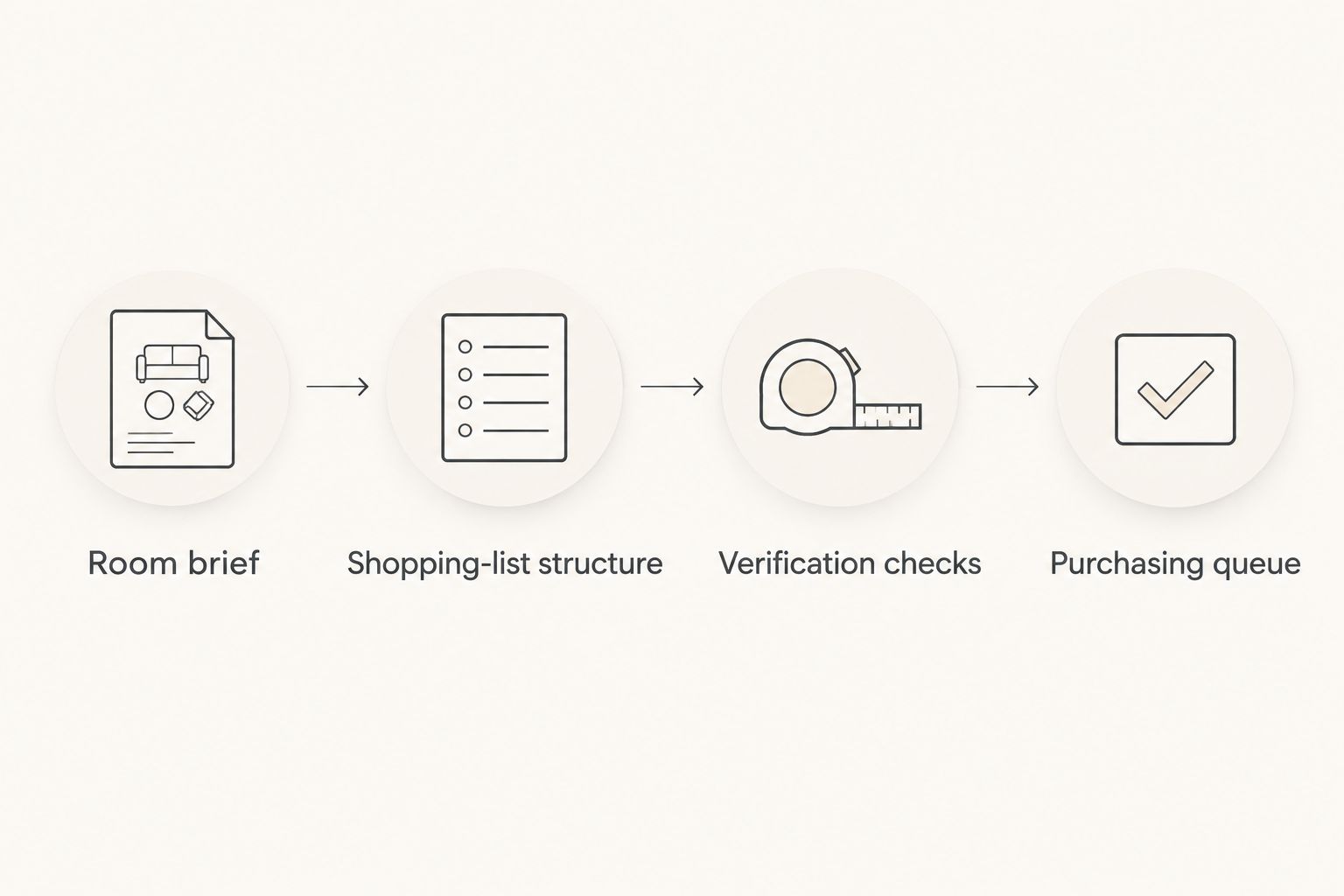
The sequence is simple: understand the room, build the record, check the details, then decide what belongs in the purchasing queue.
Verification checks
- Check the candidate's stated dimensions against your measured room. Record the units explicitly, using inches or centimeters consistently rather than leaving bare numbers.
- Check access separately from placement. Review the route through doors, halls, stairs, and turns; a piece fitting its final position does not establish that it can reach that position.
- Confirm the exact finish or material under consideration. Where relevant, assess a physical sample in your room rather than treating a photograph as a color standard.
- Review category-specific details. For lighting, record fixture dimensions and installation requirements. For wallpaper, record the selected pattern, repeat information, wall measurements, and the installer's quantity recommendation.
- Write unresolved questions in Dependencies. Move Status to Approved only after those questions have answers.
Expected result: every approved row describes a specific choice with the information needed to evaluate it in your home.
Avoid substituting a familiar furniture size for a measured one. The dimensions on your list should describe the candidate you are evaluating, not a general category or a similar-looking item.
For wallpaper, keep the quantity unresolved until the selected pattern and installation conditions have been considered. For hardwired lighting, confirm the installation plan with the appropriate professional before treating the selection as final.
Purchasing queue
- Sort the list by dependency. Resolve layout decisions before approving pieces whose size or placement depends on that layout.
- Review related selections together. Check the chair with its side table and lamp, rather than approving each in isolation.
- Identify who makes the final decision. If you share the project with a partner or designer, record whose approval is still needed.
- Save a dated decision note before ordering. In a 2026 project file, use the actual review date rather than leaving an undated “looks good” comment.
- After an order is placed, record its reference and update Status manually. Change it to Received only after checking what arrived against what you selected.
Expected result: a purchasing queue that contains resolved choices rather than every attractive possibility.
Keep alternatives out of the active queue once you approve a selection. Preserve them in a separate section if useful, but mark them clearly so another person does not mistake a backup for an additional purchase.
Approval belongs to a specific item and finish, not just a category. If either changes, repeat the relevant checks before carrying the approval forward.
When your Houzz ideabook changes
Use the same shopping list when you add new inspiration. Rebuilding it from scratch discards the reasoning behind earlier decisions and makes it harder to distinguish a fresh idea from an approved selection.
- Describe what the new image changes: shape, color, material, layout, or function.
- Find the affected row rather than adding a duplicate automatically.
- Move the row back to Needs verification if the new direction changes an approved specification.
- Review dependent pieces before approving the revision. A different sofa footprint, for example, requires another look at nearby tables and circulation.
Expected result: the list reflects your current direction while preserving a clear record of changed decisions.
Choose how you want to manage that review. Both routes use the same brief, but they place the coordination work differently.
| Approach | Best for | Advantage | Limitation |
|---|---|---|---|
| Self-managed shopping list | Homeowners comfortable measuring, researching, and maintaining records | You control the document and each decision | You remain responsible for checking sources, fit, and revisions |
| Designer-supported planning | Homeowners seeking help connecting room decisions | You can discuss the brief and selections with a design professional | Responsibilities and the service scope still need to be agreed |
Oak + Loom Interiors offers full-service and à la carte interior design. Those service formats give homeowners different starting points, but neither should be treated as a promise of a Houzz integration or a particular purchasing arrangement. Agree on the scope of help before handing over your list.
Troubleshooting
The photo does not identify the item
Keep the photo as a visual reference and describe the qualities you want. Leave Product source unresolved until you find a candidate with its own verifiable information; do not label a similar-looking piece as the photographed product.
The list contains competing choices
Separate candidates from approvals. Keep each alternative clearly marked, and approve only the selection you intend to use for that role in the room.
A piece fits the room but access is unclear
Return the row to Needs verification. Record the access question and obtain the necessary measurements or professional assessment before ordering; the floor plan alone does not settle the delivery route.
A finish looks different from the reference
Compare the actual sample or finish information with your room's existing materials and light. Keep the inspiration image as a guide to the relationship between colors, not a guarantee of how a material will appear.
An edit has not reached the shopping list
Update the document deliberately after reviewing the ideabook. This guide describes a manual planning workflow, not a live sync: changing a saved reference does not complete the corresponding verification or approval step in your separate list.
Customize your workflow
Expand the list only after the first room's structure feels clear. Use separate room tabs or a consistent Room field, and keep shared decisions—such as connected finishes—visible wherever they affect another space.
For a renovation, add Required before and Responsible person fields. For a furnishing project, add Existing piece so you can distinguish retained furniture from new selections. Keep the document focused on decisions rather than collecting fields nobody maintains.
If your inspiration also lives outside Houzz, the Pinterest board-to-finished-room workflow provides a related planning guide. Use a single decision record even when your visual references come from different places.
For a designer handoff, share the brief, measurements, unresolved questions, and approval status—not just a folder of images. Ask Oak + Loom Interiors which materials are useful for the service scope you are considering.
FAQ
How do I turn a Houzz ideabook into a shopping list?
Create a separate list with one row per needed item, then add inspiration references, actual product sources, dimensions, and approval status. Verify each candidate against your room before moving it into the purchasing queue.
Does this Houzz workflow automatically sync my shopping list?
No. This workflow uses manual review and updates in a separate document, so changes to your ideabook need a corresponding review of the affected list entries.
Can I buy everything shown in a Houzz room photo?
A room photo alone is not enough to create a verified order. Identify each candidate from an actual product source and confirm its specifications before approving it.
What measurements should I record before shopping?
Record the room, existing furniture, relevant openings, and the access route. Then compare each proposed item's stated dimensions with both its intended position and the route into your home.
Can Oak + Loom Interiors help with my inspiration and selections?
Oak + Loom Interiors offers full-service and à la carte interior design plus curated home furnishings. Discuss your room brief and agree on the service scope rather than assuming a specific Houzz connection or purchasing process.
What should I do when I change my mind after approving an item?
Return the affected row to Needs verification and review any dependent selections. Keep the earlier decision note so everyone understands what changed.
Is this workflow useful for a 2026 renovation?
Yes. Add dependencies and responsible people so furnishings, lighting, and wallpaper decisions can be reviewed alongside the renovation plan; confirm installation requirements with the relevant professionals.
One last thing
Record why you rejected a piece, not just why you approved one. A short note such as “blocks the doorway” or “finish conflicts with retained cabinet” prevents the same unsuitable option from returning to the conversation. That small habit makes your 2026 shopping list a useful memory of the project, one thoughtful decision at a time.